
Watch-face previews
Review time, complications, and backgrounds on a compact display.
Watch faces and wearable interfaces
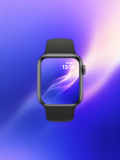
Place watch faces, fitness data, and wearable app interfaces inside Apple Watch frames to review small-screen layouts and create showcase visuals.
Use multiple frame colors and front-facing templates for watch-face design, wearable apps, health data, and smartwatch wallpapers.
Open mockup editor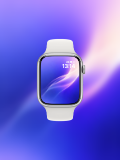

What you can do
Review time, complications, and backgrounds on a compact display.
Switch watch frames to match interface and brand styles.
Export enlarged visuals for portfolios, store listings, and campaigns.
Use cases
Workflow
Open the editor and select a Apple Watch mockups template.
Upload a screenshot, wallpaper, or design, then refine the crop, device, background, and text.
Choose a canvas ratio, image format, and export scale, then download the finished mockup.
FAQ
Yes. Upload an image, then scale and position it inside the watch display.
Yes. Choose from the frame colors and styles available in the template.
Yes. It works for watch faces, fitness, health, notification, and other small-screen interfaces.