Lock and home screens
Preview wallpapers with time, widgets, notifications, and home-screen icons.
Phone screenshots and wallpapers
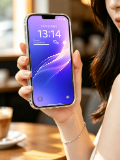
Place any mobile screenshot inside an iPhone frame and create polished visuals for app listings, product websites, portfolios, and social media.
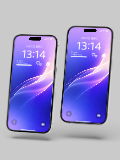
Choose single-device, dual-device, handheld, desktop, and multi-phone scenes, with controls for Dynamic Island, status bars, lock screens, backgrounds, and export size.
Open mockup editor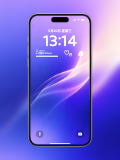
What you can do
Preview wallpapers with time, widgets, notifications, and home-screen icons.
Switch Dynamic Island styles, device frames, and transparent backgrounds.
Export PNG, JPG, or WebP assets for stores and social channels.
Use cases
Workflow
Open the editor and select a iPhone mockups template.
Upload a screenshot, wallpaper, or design, then refine the crop, device, background, and text.
Choose a canvas ratio, image format, and export scale, then download the finished mockup.
FAQ
No. Select a template, upload your screenshot, adjust it in the browser, and export.
Yes. Transparent canvas templates are available with or without a device frame.
Yes. Use dual and multi-phone templates or add multiple devices to the canvas.