Multiple desktop frames
Present work in laptop, Mac, and desktop monitor frames.
Desktop apps and website designs
Place websites, desktop apps, and Mac wallpapers inside computer screens for product pages, portfolios, and launch campaigns.
Choose MacBook, desktop monitor, gaming desk, and office scenes, with optional menu bar, Dock, and lock-screen details.
Open mockup editor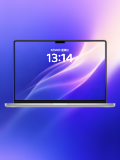
What you can do
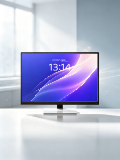
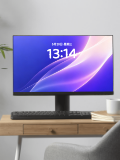
Present work in laptop, Mac, and desktop monitor frames.
Frame product pages, dashboards, and desktop application screens.
Combine menu bars, the Dock, lock screens, and wallpaper previews.
Use cases
Workflow
Open the editor and select a MacBook mockups template.
Upload a screenshot, wallpaper, or design, then refine the crop, device, background, and text.
Choose a canvas ratio, image format, and export scale, then download the finished mockup.
FAQ
Yes. Upload a website or screen capture and crop it to the computer display.
Yes. The template library includes MacBook, Mac, and standalone desktop monitors.
Some templates allow frame and background adjustments; browser mockups can show the window alone.