Portrait and landscape
Match tablet apps, websites, and wallpapers across common orientations.
Tablet apps and wallpapers
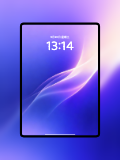
Create realistic device visuals for tablet apps, landscape websites, digital planners, and iPad wallpapers in portrait or landscape.
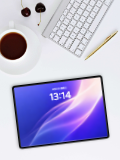
Use iPad Pro, desktop, office, and lifestyle scenes with controls for orientation, background, and image crop.
Open mockup editor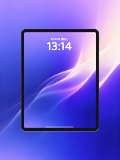
What you can do
Match tablet apps, websites, and wallpapers across common orientations.
Add desktop, office, and lifestyle settings for useful context.
Crop uploads to the screen ratio and position them precisely.
Use cases
Workflow
Open the editor and select a iPad mockups template.
Upload a screenshot, wallpaper, or design, then refine the crop, device, background, and text.
Choose a canvas ratio, image format, and export scale, then download the finished mockup.
FAQ
Yes. Both landscape and portrait content can be placed in matching tablet templates.
Yes. Use a solid color, gradient, uploaded image, or a built-in scene background.
Yes. Choose high-resolution output for portfolios, websites, and social media.