Multiple image areas
Upload primary, secondary, and supporting profile images separately.
Profiles, couples, and social layouts
Place multiple profile images inside personal, couple, and social layouts to create coordinated visuals for avatar showcases and social posts.
Every image area supports independent upload and cropping, plus radius, border, shadow, layering, canvas text, and icons.
Open mockup editor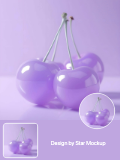
What you can do
Upload primary, secondary, and supporting profile images separately.
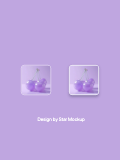
Control shape and decoration independently for each avatar area.
Add status elements, headings, labels, and custom image assets.
Use cases
Workflow
Open the editor and select a Avatar mockups template.
Upload a screenshot, wallpaper, or design, then refine the crop, device, background, and text.
Choose a canvas ratio, image format, and export scale, then download the finished mockup.
FAQ
Yes. Each avatar slot supports its own upload, crop, and styling.
Yes. Radius controls support square, rounded, and circular profile images.
Yes. Add text, built-in icons, and custom images, then adjust position and layer order.