
Real vehicle interiors
Review interface scale and visual focus in a realistic display position.
Digital cockpits and infotainment
Place navigation, media, vehicle controls, and digital cockpit interfaces inside realistic car screens to present automotive UI in context.
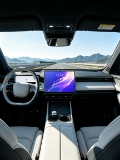
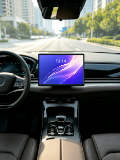
Use multiple in-car scenes for widescreen infotainment, navigation, media systems, and digital cockpit design reviews.
Open mockup editor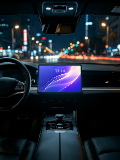
What you can do
Review interface scale and visual focus in a realistic display position.
Suitable for landscape navigation, media, and vehicle-control interfaces.
Create contextual visuals for proposals, portfolios, and product reviews.
Use cases
Workflow
Open the editor and select a Car display mockups template.
Upload a screenshot, wallpaper, or design, then refine the crop, device, background, and text.
Choose a canvas ratio, image format, and export scale, then download the finished mockup.
FAQ
Landscape interfaces work best; uploads can be cropped and adjusted inside the display.
Yes. Any automotive interface screenshot can be placed inside the infotainment display.
Car templates use fixed scenes to preserve the intended screen perspective and placement.